

The Royal Caribbean Cruise Planner is your go-to tool for planning your vacation. However, even after you've booked your add-ons, it pays to regularly check the ongoing sales and promotions to potentially save money.
Add-ons bought through the Royal Caribbean Cruise Planner are fully refundable up to two days before your cruise's departure date.
This means that if you purchase the Deluxe Beverage Package for $78.99/day and later notice that it has decreased to $69.99/day, you can cancel your purchase, have the funds credited back to your original form of payment, and rebook at the lower price.
The same goes for specialty restaurants, shore excursions, Wi-Fi packages, VIP passes, and more.

It is important to note that Royal Caribbean will not automatically issue any refunds if the price of an add-on drops. You must request it and rebook at the lower price. Moreover, if you cancel an add-on while on the ship, it will be refunded as onboard credit.
Making a habit of revisiting the Cruise Planner website can help maximize your savings. It never hurts to check the current rates for add-ons, especially during flash sales. Adjusting your current booking can help you take advantage of better discounts!
Here's an easy-to-digest guide on how to cancel and rebook pre-cruise purchases through the Royal Caribbean Cruise Planner.
First, you must log in to access the RCCL Cruise Planner
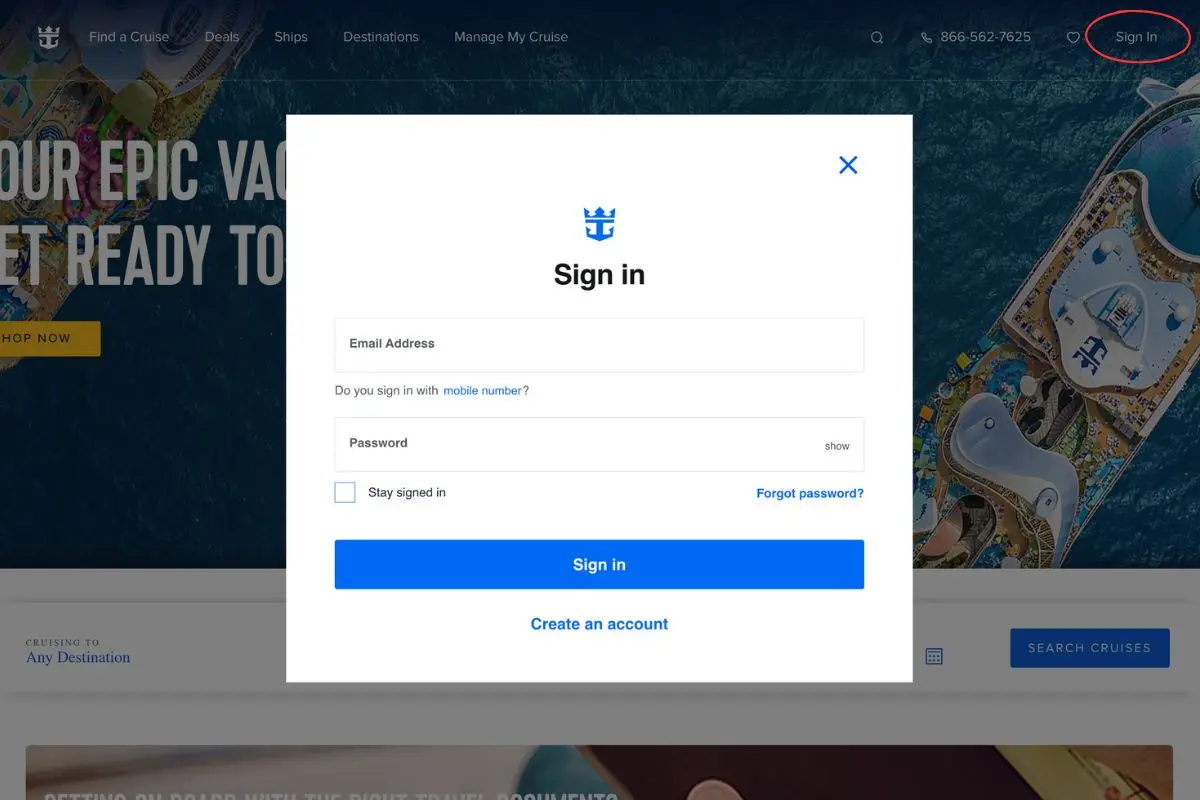
These first steps will be familiar to anyone who has navigated to the Cruise Planner in the past, whether to browse the available add-ons or make entertainment reservations.
In the right-hand corner of Royal Caribbean's website, click on "Sign In." This will then open a pop-up window asking for your email address and password.
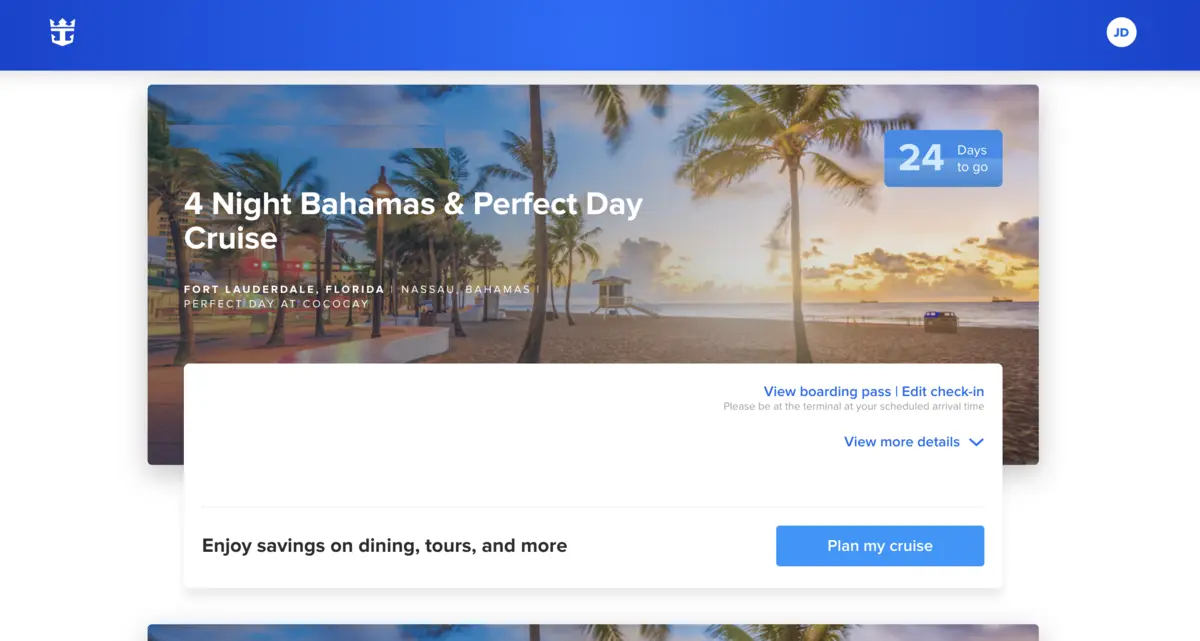
After logging in, you'll see a list of your upcoming cruise(s). If your next cruise is missing, simply select "Add a Cruise" at the bottom of the page to link your booking to your Crown & Anchor account.
To do this, you'll need to enter your last name, date of birth, and reservation number. As an example: "Wilson, 12/31/1980, 5310089."
Once your reservation is successfully linked, you can navigate to the Cruise Planner by clicking on "Plan my cruise."
Open up your order history to see all past purchases
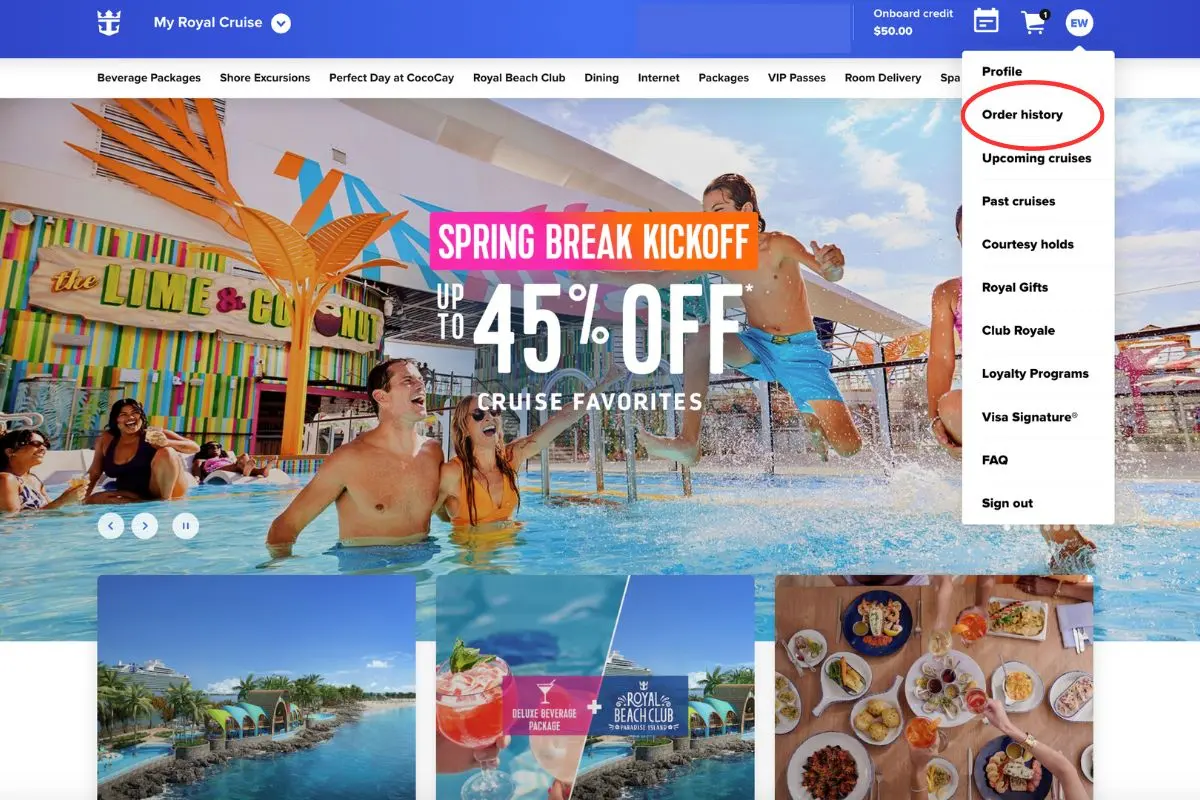
There will be a small circular icon with your initials in the top-right-hand corner. Click on it to open a drop-down menu.
Directly underneath "Profile" will be a link labeled "Order history." This is where you will want to go to see all your past Cruise Planner purchases.
From here, you can select which order you want to cancel. This might be for something as simple as changing a My Time Dining reservation or rebooking a drink package for a lower price.
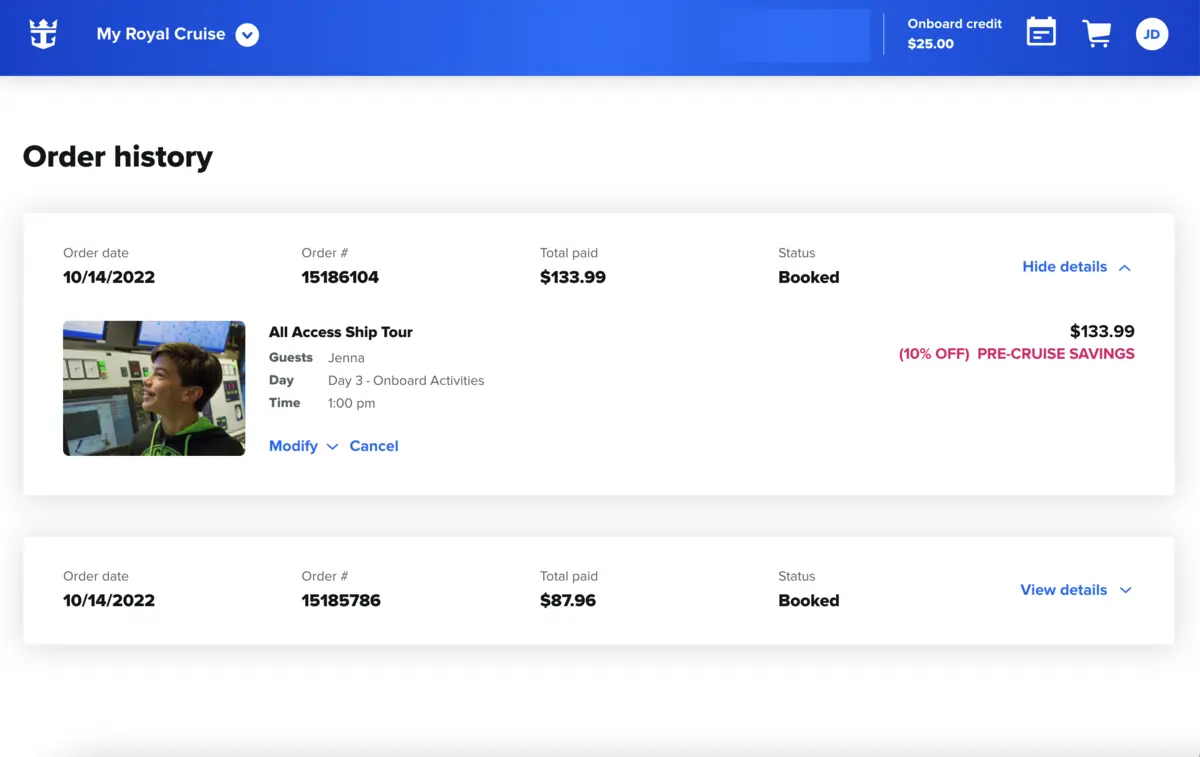
Follow the Cruise Planner's instructions to complete the cancellation. Once it's done, you'll be redirected to a webpage displaying a confirmation message with the exact refund amount and the original form of payment used (if applicable).
The refund is not automatic and may take a few business days to be processed, depending on your banking institution.
Rebook your cruise add-ons
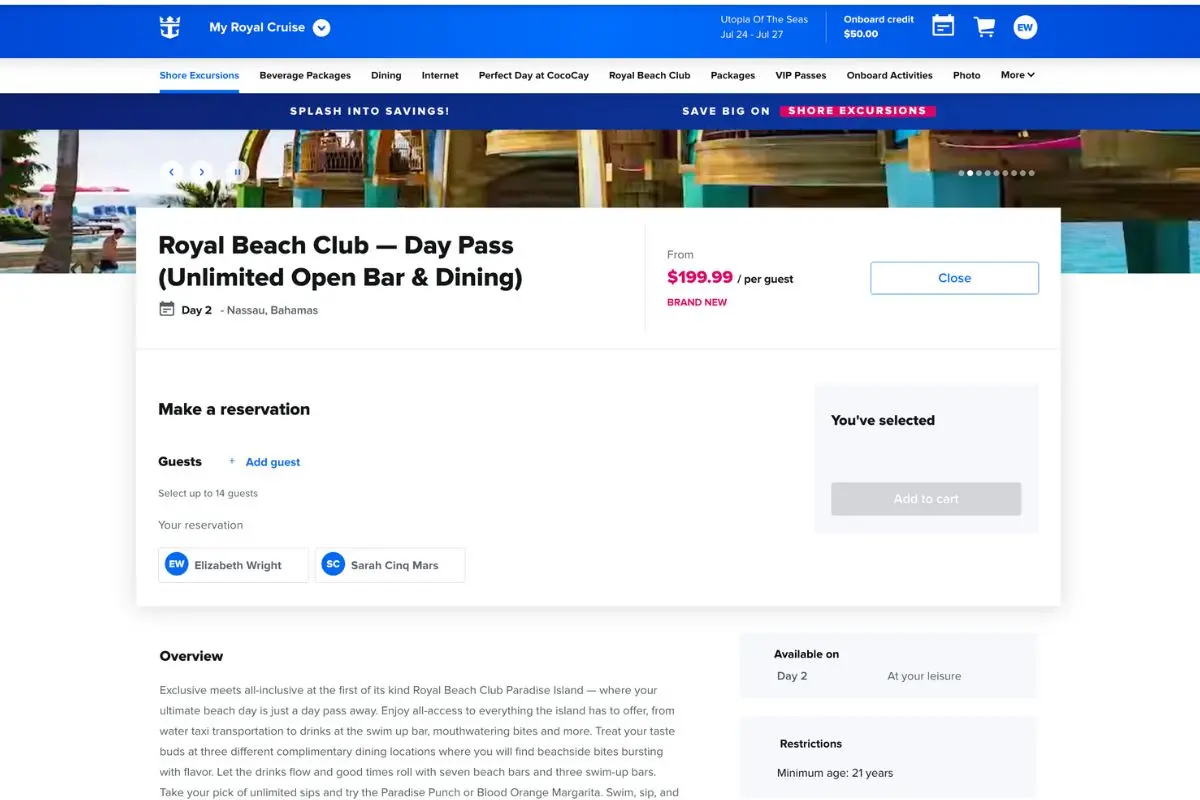
Once you've canceled your past purchases, you can rebook your desired add-ons for the lowered price. Pre-cruise sales change frequently, so if you notice a price drop, it's worth canceling and booking again to lock in the better rate on everything — from tours to internet packages and drinks.
First, you must locate the add-on and add it to your cart. This can be done by clicking on the "Reserve" or "Purchase Now" button.
Multiple cruise add-ons can be added to your cart and bought at once. Payments can be made with a debit or credit card, as well as with onboard credit. Royal Caribbean also lets guests split the payment, using a portion of the onboard credit and billing the remainder to their personal card.
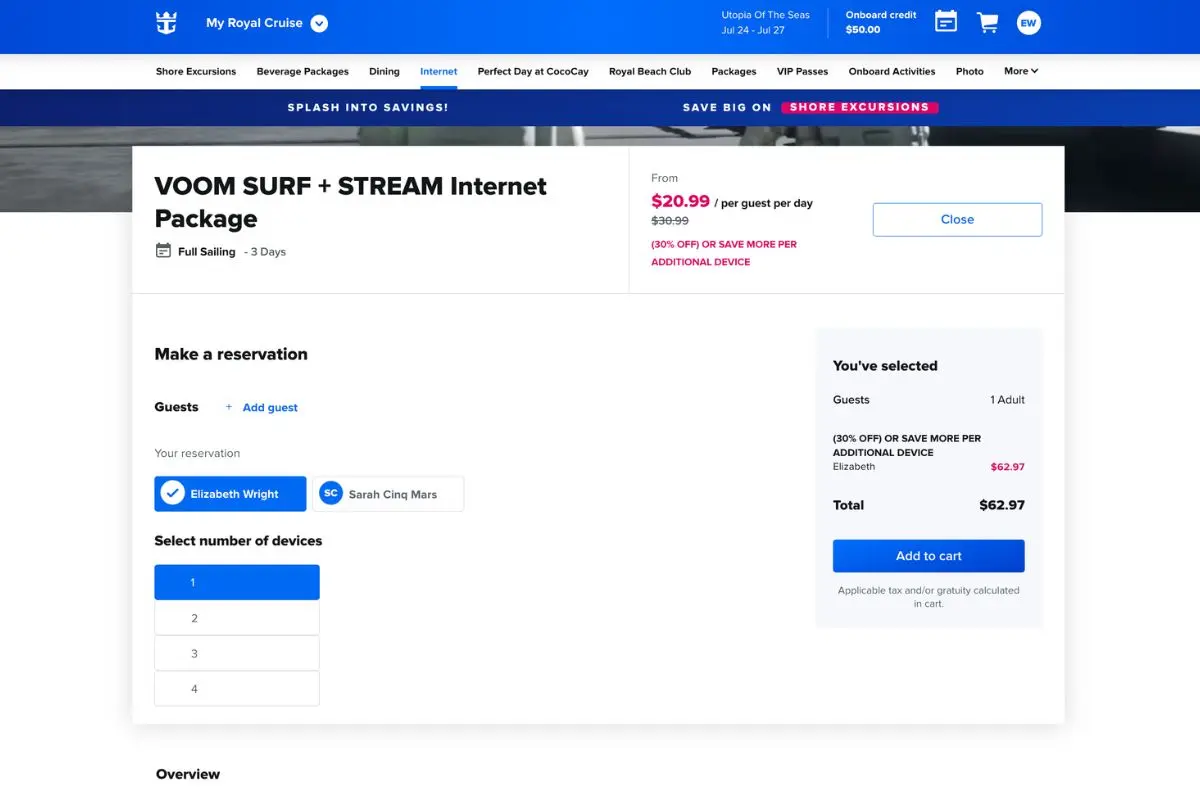
An email confirmation is sent out once the payment goes through, and you can view your add-on(s) in the "Order history" tab, giving you easy access to manage, cancel, and review your Cruise Planner purchases before your sailing.
Read more: 10 Things to check after booking a Royal Caribbean cruise (that could save a lot of money!)
Royal Caribbean Cruise Planner phone number
You can also call a Royal Caribbean vacation planner to help modify your add-ons. U.S. residents can call (800) 205-9812 between 7:00 a.m. and 2:00 a.m. EST to speak with a live agent.
However, making changes through the Cruise Planner website is typically easier and more time-efficient, as you do not have to waste time on hold, explain your situation, or provide secure payment details over the phone.
When should you buy Royal Caribbean add-ons?

You can wait to purchase add-ons like drink packages, specialty meals, and internet on your Royal Caribbean ship. However, you will pay more than if you were to secure them before embarkation. In fact, planning ahead can often save you hundreds — if not thousands — of dollars.
When, for instance, I sailed aboard Icon of the Seas, my partner and I pre-purchased the Deluxe Beverage Package for $990.92, including the mandatory service charge, over four months before our spring break sailing. This breaks down to around $70.78 per person, per night, whereas if bought on board, it's not uncommon for the Royal Caribbean drink package to cost upward of $100 per person.
Generally speaking, it's best to buy add-ons as soon as you can. Shore excursions and specialty restaurants, for example, have limited availability. As such, you shouldn't be surprised if many tours are sold out in the weeks leading up to your voyage, especially if you're visiting somewhere like Alaska or Europe.

Drink packages, internet, and other popular services also tend to increase in price as your sail date approaches. As mentioned, if you buy an add-on and later notice that the price has decreased, it's extremely easy to cancel the original purchase and rebook it at the lower rate through the Cruise Planner website.
Consequently, there is no harm in securing your add-ons early. You will have the flexibility to cancel and rebook if a better deal appears before your cruise. However, you won't have to worry about sudden price increases affecting your vacation budget.
Read more: When should you buy Royal Caribbean drink package, wifi, tours & other add-ons