
It's very easy to get connected to Royal Caribbean's Wi-Fi on a cruise, and the speeds are faster than ever.
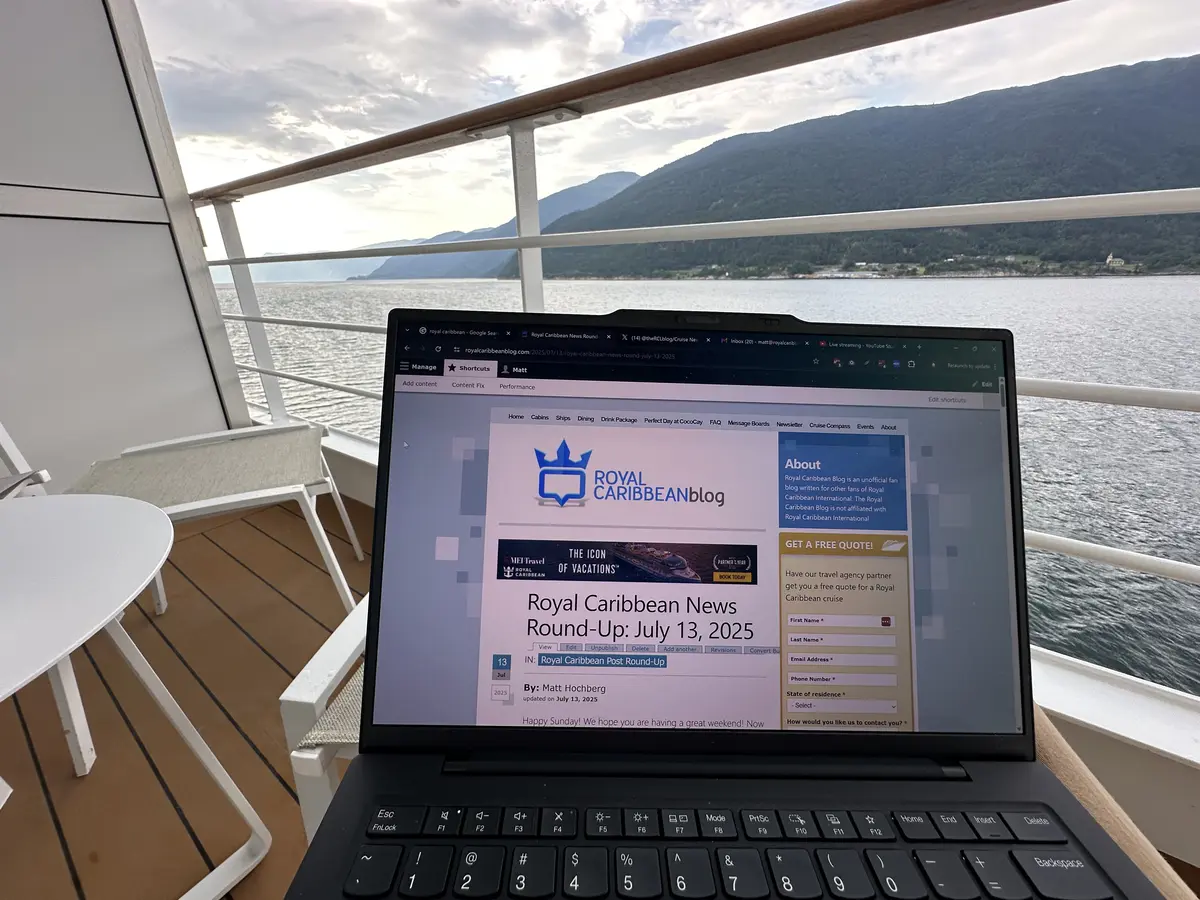
It's amazing how much better cruise ship Wi-Fi has gotten. For years, it was expensive and slow, but thanks to Starlink, you can get true high-speed internet on a Royal Caribbean ship.
Today, Wi-Fi speeds on cruise ships are just as fast as hotel or coffee shop internet. It isn't quite as fast or reliable as what you have at home, but I think it's gotten so much better that it suits most passengers' needs.
Before you book, there are a few important things to know and tricks to save money on internet at sea.
How can I get internet access on my Royal Caribbean cruise?

You can buy a Wi-Fi package on the ship or before it begins.
To buy it before the cruise, go to the Royal Caribbean app or Cruise Planner website and reserve a package.
Onboard the ship, all you need to do is connect to the ship's wifi network.
Connecting to Royal Caribbean's Wi-Fi is just like anywhere on land:
- Log on to the network "royal-wifi" using your device.
- Open a web browser and attempt to visit any website.
- The Royal Caribbean WiFi login page will appear, with options to purchase an internet package or allow guests who already have a package to log in.
What is Voom?

You might hear and read about something called "Voom," which is what Royal Caribbean calls its onboard internet service. Unlike traditional internet options at sea, Voom utilizes a different kind of satellite technology to provide much faster connectivity.
Voom offers guests the ability to stream music and movies, upload pictures, video chat with family and friends using FaceTime or Skype, check their email, look up their stock prices, surf the web, and stay connected with work via VPN.

In fact, on Oasis and Quantum class ships, you can easily stream video from services like Hulu or Netflix, or engage in FaceTime and Skype video calls.
On some other ships, notably Royal Caribbean ships that spend time outside the United States, the speeds may not be quite as fast, but fleetwide, the Voom service is significantly better than the onboard internet available through other cruise lines.
Is Royal Caribbean's Wi-Fi fast enough to work remotely for meetings?
While it's true cruise ship Wi-Fi has improved a lot, it's not quite as fast or snappy as it is on land. That's because of the nature of satellite-based internet.
However, I've found the speeds and latency to be good enough for most remote work. Royal Caribbean's Wi-Fi is certainly fast enough for checking emails, uploading files, accessing websites, and most online work.
Video meetings usually work quite well. Occasionally, the signal may degrade because of clouds, bad weather, or just satellite transmission degradation, but I've conducted many video calls from the ship without an issue. If you're trying to fool your boss, you're at home, it might not be up to that task. But I've had good luck with the internet holding up well.
One issue is VPN access, as not all VPN protocols are supported by Royal Caribbean's Wi-Fi network. You may find issues connecting to certain VPN servers depending on which protocol you use. I recommend having a backup VPN connection or two to try.
How do I sign up for Wi-Fi?
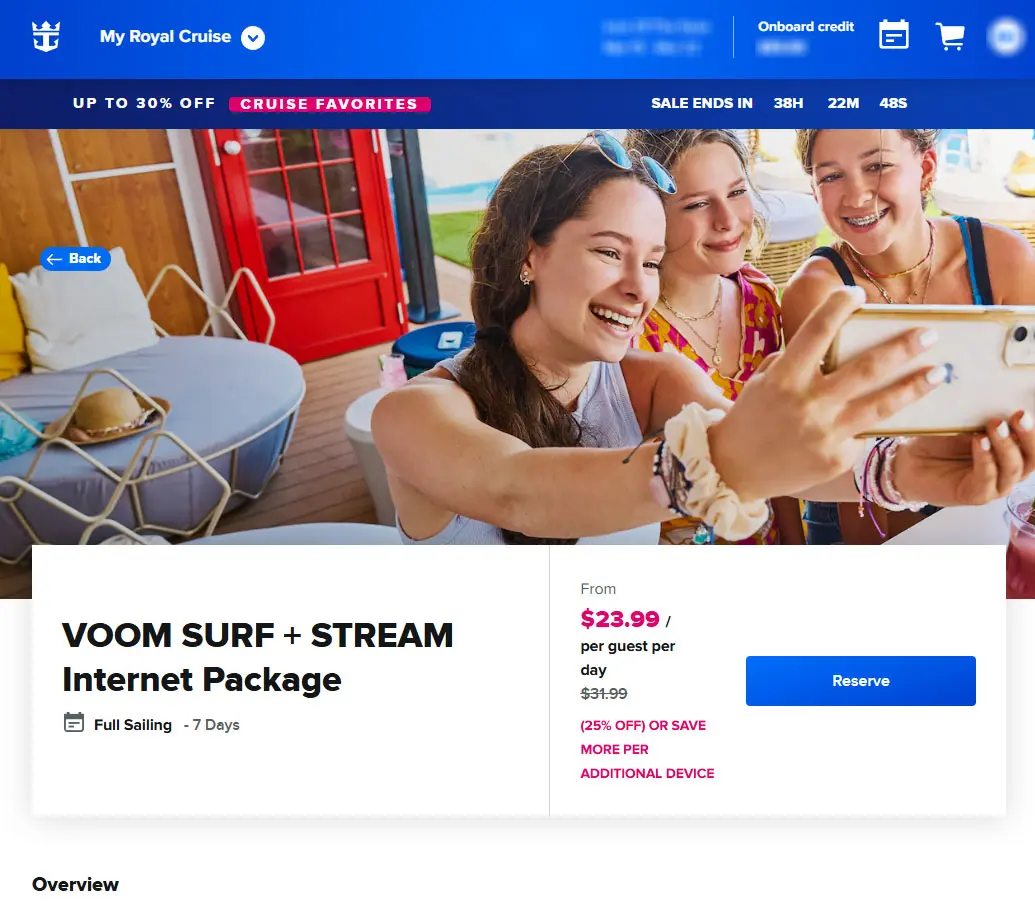
Your access to the internet on board your Royal Caribbean ship is tied to your stateroom and the account you create.
When you first logon to Royal Caribbean's Wi-Fi, you will see an option to create an account, and there you can sign up for a plan or pay for the internet by the day. In either case, the charge for internet usage will be applied to your stateroom account.
Alternatively, you can pre-purchase your wifi package and have it prepaid for your cruise.
If you buy it in advance via the Royal Caribbean Cruise Planner website, then log on to the wifi network onboard your ship, and instead of being charged, you will see the prepaid plan ready to activate.
Can I use my Wi-Fi internet package at Perfect Day at CocoCay?

Yes, your Wi-Fi package works at Perfect Day at CocoCay, Royal Caribbean's private island in The Bahamas, for no additional charge.
What devices can access the internet?

Any internet device that can access an 802.11b wireless connection can connect to the internet. This includes most smartphones, laptops ,and tablets.
Royal Caribbean does provide workstations that are shared and available on a first-come, first-served basis, but we have found the workstations to be slow in terms of performance.
How fast is Royal Caribbean's Wi-Fi?

Let me be frank, internet access on a cruise ship will never be quite as snappy or responsive as it is on land. However, Royal Caribbean's Voom packages are serviceable, and on the newer ships, pretty fast.
Several factors can influence how fast the ship's internet is, including how many guests are using it, natural barriers, and the ship's latitude.
Speeds don’t vary much between ships, but newer ships have newer technology with lower latency, so it seems faster.
How much does internet access cost?

The cost of a Wi-Fi internet package varies depending on the number of devices and the service package purchased.
Royal Caribbean offers unlimited plans that can be purchased onboard the ship or pre-purchased before the cruise. Without a doubt, you will save money by pre-purchasing your Voom internet package via Royal Caribbean's Cruise Planner site.
If you wait to book onboard, here is a copy of Voom prices in 2026, which should be about the same across the fleet. These were accurate aboard Star of the Seas on the week of February 20, 2026.
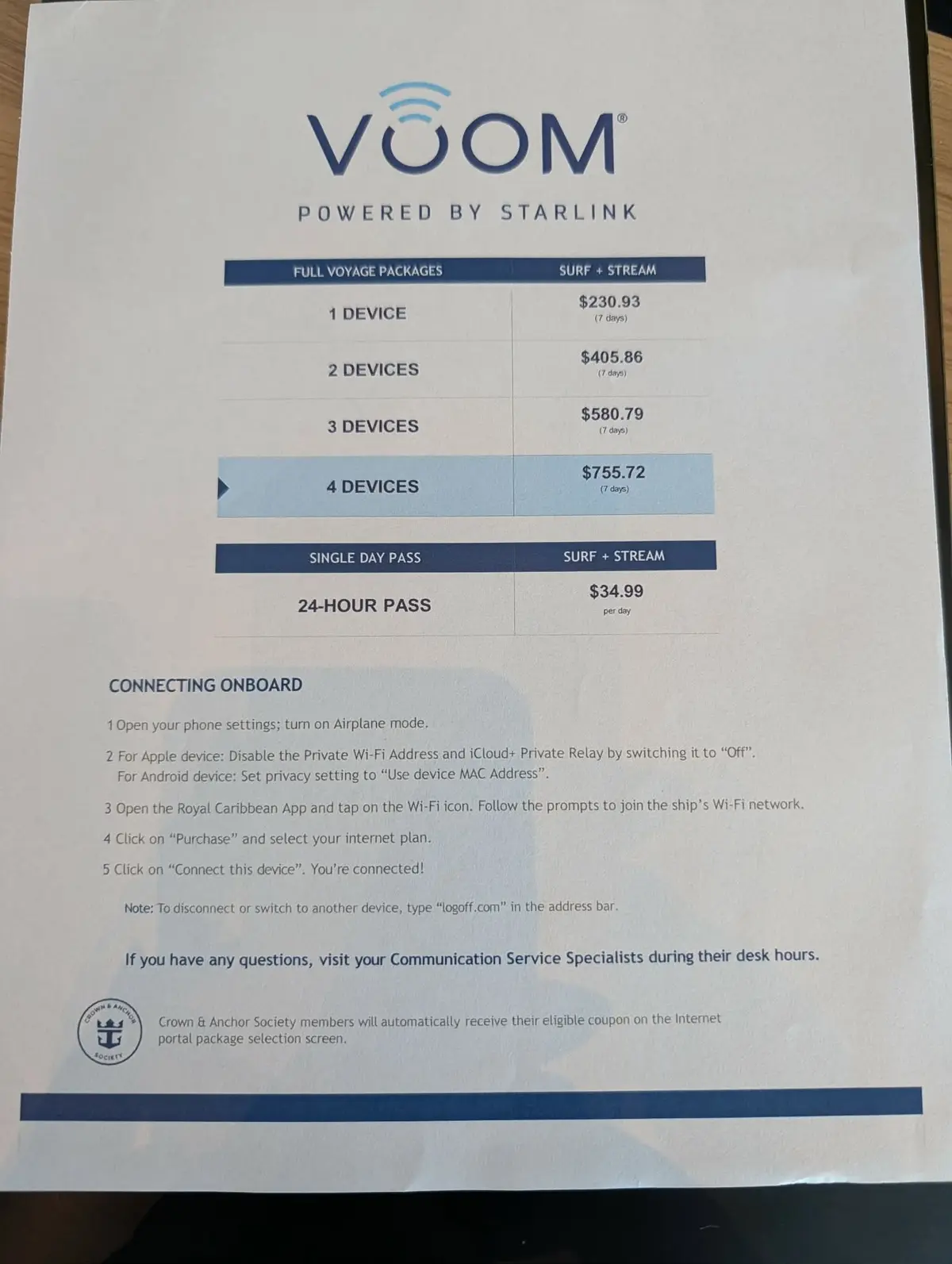
According to the sheet, a 7-night package for one device purchased on the ship costs $230.93, or $32.99 per night. A 24-hour pass is the most expensive, coming in at $34.99 per day.
You can save money by bundling multiple devices under a single plan, rather than purchasing an individual plan for each person. For example, based on the sheet, a 4-device plan costs $755.72 for a weeklong cruise. This breaks down to $26.99 per day.
Can I switch between devices while using a Voom package?
Yes, you may use as many devices as you like, but whichever plan you purchase will limit you to the number of devices that may be connected at the same time.
To change devices, first log off the first device by typing logoff.com into your web browser. This will log your first device out. Afterwards, log back in with the other device. You can do this as many times as necessary.